Integrations
Get WhatsApp alerts for your issues
Add and verify your WhatsApp number to get issue assignment alerts and a daily issue digest, and pause them with Skip today
Steps checked October 6, 2026
Glitchgrab can message you on WhatsApp when an issue is assigned to you, and send a short digest of what is open across your repos — so you know what landed without opening the dashboard.
Before you start
- A WhatsApp number. The verification code is sent by SMS, and only Indian (+91) numbers are supported.
1. Add your number
The first time you open the dashboard, a window asks Add WhatsApp for alerts. Or add it any time from Settings → WhatsApp notifications.
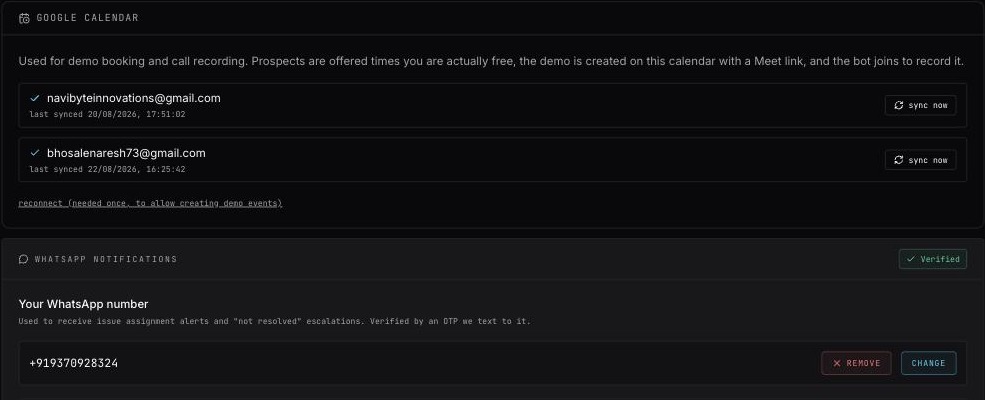
- Enter your number — country code and number, no spaces, e.g.
919876543210. - Press Send OTP. You will see OTP sent by SMS.
- Type the code and press Verify (or Resend OTP if it did not arrive).
- You will see Verified! You'll receive WhatsApp alerts. and the panel shows Verified.
Not ready? Press Skip for now — I'll set this in Settings in the first-time window.
To change or stop, use Change or Remove in Settings — WhatsApp number removed.
2. What you receive
Issue assignment
When an issue is assigned to you: Issue assignment for <you>, with the issue, the repository, its severity and type, and a View Issue button.
A daily report for the app owner
Building apps for a client? Add them once as an app owner and every evening at 8 pm IST they get one WhatsApp about the apps they own:
Today on practicestacks Issues created: 12 Sent for verification: 9 Verified: 4 Demos booked: 1
They need no Glitchgrab login. The report is sent every day, even when every number is 0. App owners do not get a message for each assignment; only the assigned developer does.
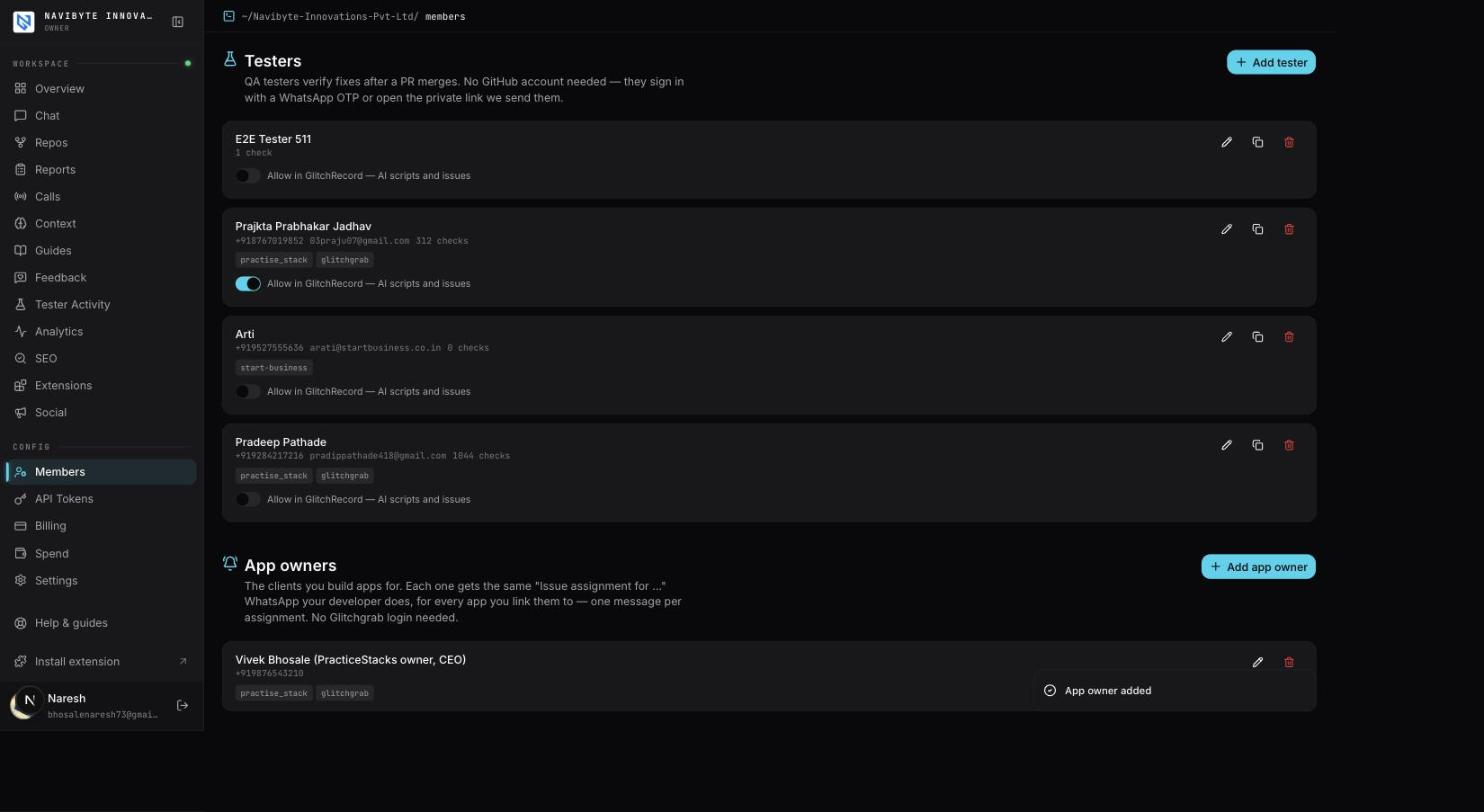
- Open Members and scroll to App owners.
- Press Add app owner.
- Type their Name and WhatsApp number, then tap each app under Apps they own.
- Press Add app owner. You will see App owner added, and the row lists their apps.
One app owner can own many apps; their report adds up all of them. To add or drop an app later, press the pencil on their row, or use the app owners chip on that app's card in Repos — tick or untick them there, or press Manage app owners to come back here.
To pause the report for one app owner, turn off Daily report at 8 pm on their row (Daily report off). To stop everything, press the trash on their row, then Confirm. Only the org owner sees App owners. Settings → WhatsApp notifications links here.
Daily digest
A morning summary and an evening recap of open issues across your repos, with three buttons:
- Open dashboard — signs you straight in to the right page. The link works once and expires after 48 hours.
- Skip today — no more issue updates until tomorrow.
- Show details — replies with the full list of repos and counts.
You can also type skip today, not today or leave to pause, and RESUME to start again.
For QA testers
Testers with fixes waiting who have verified nothing that day get one evening reminder with Verify now and Skip today. See Add a QA tester.
Troubleshooting
- No code arrives — check the number includes the country code, e.g.
91…. Codes come by SMS, not WhatsApp. - Verification failed — the code was wrong or expired. Press Resend OTP.
- Failed to send OTP — wait a minute and try again.
- No digest arrives — the digest must be switched on for your Glitchgrab workspace, and it is not sent on a day you pressed Skip today.
- An app owner gets no 8 pm report — check Daily report at 8 pm is on for them and at least one app is linked to them.
- That number is already an app owner — edit them instead — that client is already on the list. Press the pencil on their row and add the app there.