AI features
Let reporters flag a problem with Glitchgrab
What the "Problem with Glitchgrab?" link in the report dialog does, and how to turn it on or off per repo
Steps checked September 12, 2026
Sometimes what goes wrong while someone is reporting a bug is the report dialog itself — the assistant misunderstands, the screenshot is wrong, voice input fails. Filing that into your repo reaches nobody who can fix it. The Problem with Glitchgrab? link sends it to the Glitchgrab team instead, with everything needed to reproduce it.
What the link does
- It sits in the footer of the report dialog and the AI assistant.
- Pressing it opens Problem with Glitchgrab?, where the person describes what went wrong and presses Send to Glitchgrab.
- The report goes to Glitchgrab's own repo, not yours. It includes the AI chat, the pages they visited, what they clicked, the browser and any screenshots — the panel says so before they send.
- Nothing is filed into your project.
The AI assistant also offers it on its own when a conversation turns out to be about the reporting tool rather than your product.
Turn it on or off
It is on by default for every repo. Only the repo owner can change it — it lets your users reach a third party from inside your product, which is your call.
- Open Repos in the left sidebar and find the repo's card.
- The switch reads GG LINK ON or GG LINK OFF. Press it to change.
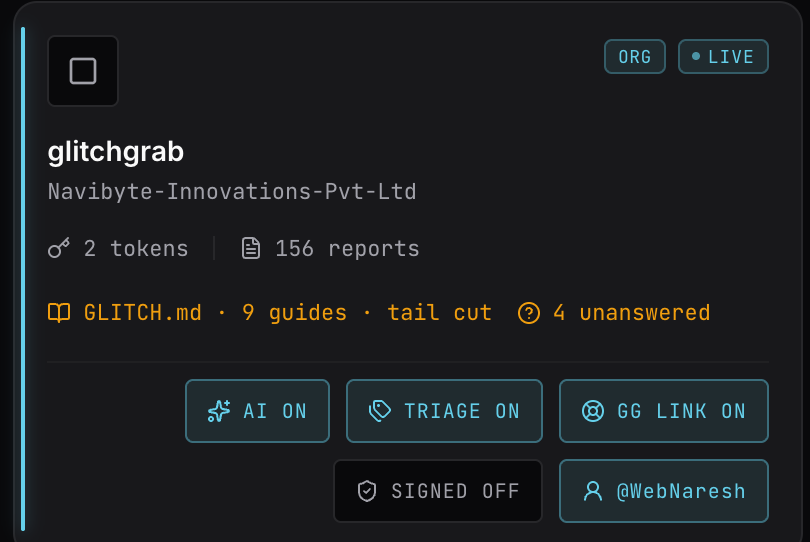
- Off: "Problem with Glitchgrab?" link hidden from the dialog — the footer shows Powered by Glitchgrab instead.
- On: Reporters can now flag a problem with Glitchgrab itself from the dialog.
In the Glitchgrab Chrome extension the link is always shown, because everyone reporting there is already a Glitchgrab user.
Why you might keep it on
Problems with the dialog cost your users a bug report. With the link they can tell us in one step, and the fix reaches every project. We never see anything from your users unless one of them presses Send to Glitchgrab.
If sending fails
Couldn't send it. Try again in a moment. — the report could not be delivered. The person's own bug report is unaffected; they can close this panel and send that as normal.