Team and QA
Report a bug as a tester
File a new bug as a QA tester from any website with ⌘⇧G in the Glitchgrab Chrome extension
Steps checked October 29, 2026
As a QA tester you can report a new bug any time — not only when verifying a fix. Reports file into the repos your admin assigned you.
Before you start
- You have signed in as a tester — from your QA link, or at glitchgrab.dev/login → Tester with your phone number. See Add a QA tester.
- Your admin has assigned you at least one repo.
- The Glitchgrab Chrome extension is installed — add it from the Chrome Web Store. It reports bugs in websites, in Chrome.
Report a bug
- Make sure you are signed in to Glitchgrab in the same Chrome profile the extension is installed in (open your QA link, or the tester dashboard).
- Go to the page with the problem and press ⌘⇧G (Mac) or Ctrl+Shift+G (Windows).
- Pick the project under Project (Choose a project), or check it says Filing to <repo>.
- Describe it and press Send Report — the dialog is the same one described in What your users see when they report a bug.
The extension attaches your last 50 steps on the site — clicks, field changes, pages opened — so the developer can see how you got there. What you typed is never included.
On a website that already has Glitchgrab's report button built in, ⌘⇧G opens that site's own dialog instead — use it; it files into that site's repo.
Recording a client call from Google Meet? The same extension does that — see Send the bot to a call.
Messages you may see
- No repos assigned to you yet — ask the org owner to add you as a tester or connect a repo.
- No active login — open a QA link or the dashboard first, then try again. — the extension could not find your sign-in in this Chrome. Open your tester dashboard (glitchgrab.dev/login → Tester) or your QA link in the same Chrome profile, then try again. No need to reload the page you are reporting from.
- Sign in to record this call (inside Google Meet) — same cause. Press Sign in, then go back to the call without reloading it. See Send the bot to a call.
- Your Glitchgrab session has expired… — sign in again.
- Pick a repo first — choose the project before sending.
After you send
The report becomes a GitHub issue on that repo. When a developer fixes it and the fix is merged, it comes back to you in To verify.
If your report matches an issue that is already open — you picked Add to #N, or you sent nearly the same report earlier that day — it is added to that issue as a comment, and no new issue opens.
It also counts on your Overview under Issues filed, which shows every issue created on your projects — come back to the tab and the number goes up.
See what happened to your reports
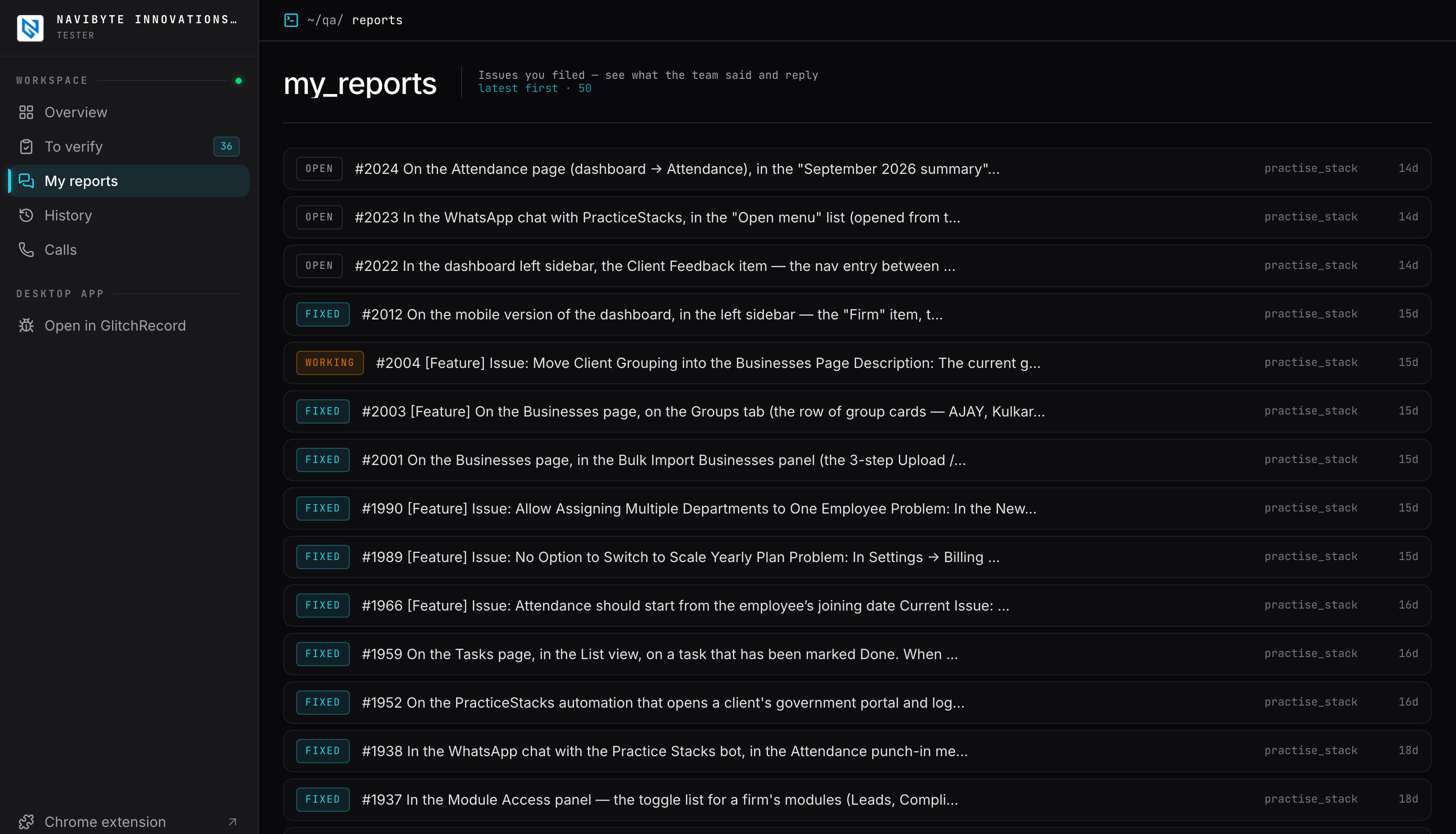
- Open My reports in the left sidebar (Filed in the bottom bar on a phone). It lists every issue you filed, newest first — including ones sent with the Report button on the tester dashboard, which are tagged about Glitchgrab. Reports added to an issue that was already open are tagged added to existing and show that issue's title.
- Each one is marked Open, Working (a developer has started on it) or Fixed.
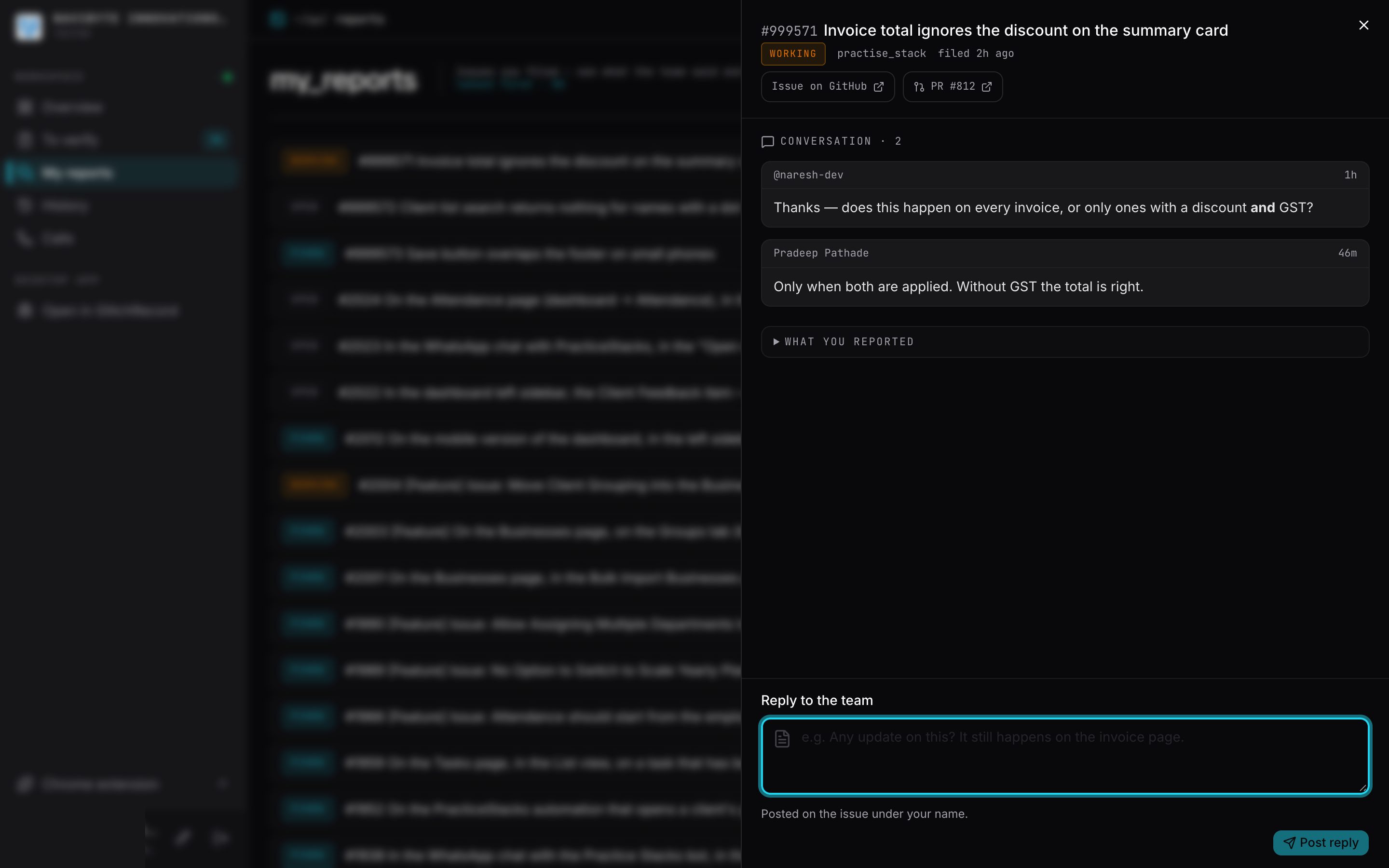
- Tap one to read what the team wrote under Conversation, what you originally sent under What you reported, and the links to the issue and its pull request.
- To answer the team, type in Reply to the team and press Post reply. It is posted on the issue under your name.
You are not notified when the team replies yet — open My reports to check.